Bank Guide
Santander Export Guide
Country
🇵🇱 Poland
This guide explains how to export your bank statement from Santander Poland in CSV format for import into Budget Buddy.
Export Steps
Log in to Your Account
Open the Santander web interface and log in to your personal account.

Open Transaction History
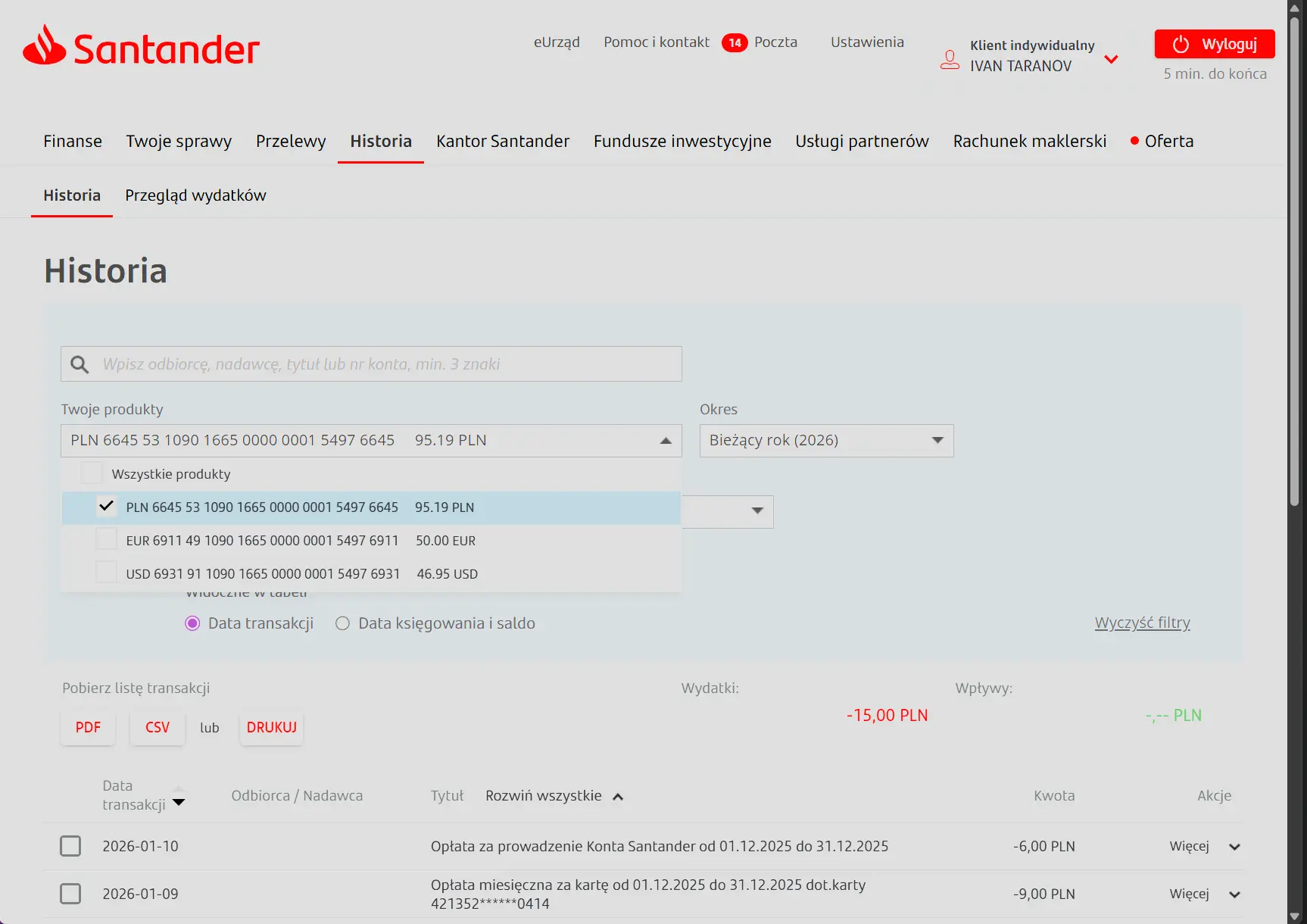
Click on "Historia" in the navigation panel.

Select Account and Period
Click on "Twoje Produkty" and select only one account for which you want to get a statement. You can also specify the desired statement period.
Download CSV File
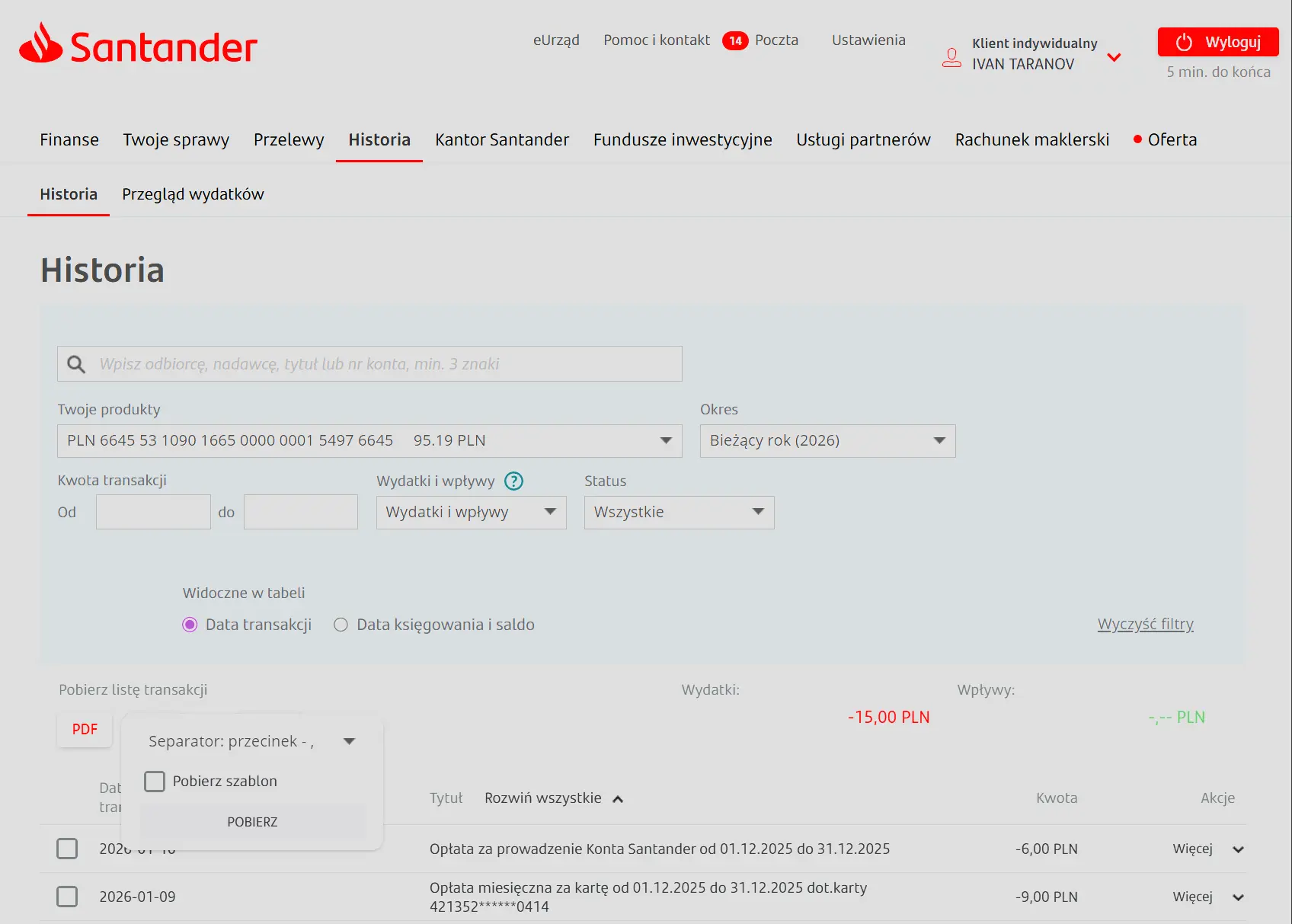
Click the "CSV" button, then click "Pobierz" in the popup window to download the file.
Important Notes
Note
As of February 1, 2026, CSV statement export is not available from the Santander mobile app. You need to use the web interface at https://www.centrum24.pl/ for export.